Your production hub for laser engravers and CNC machines.
GRBL Server ingests SVG, PNG, JPG, DXF, and G-code from local folders, databases, or S3, processes them through reusable workflows, and sends jobs to any GRBL, GRBL-ESP32, Marlin, Smoothieware or Klipper machine on your network.
GRBL over USB serial · ESP32/FluidNC over Wi-Fi · Klipper, Smoothie & Marlin over TCP. One server, every machine on your shop's network.

More than a sender.
Most laser engraving software is either a design tool or a one-machine sender. GRBL Server is the production layer in between: file sources, reusable workflows, presets, and a fleet of laser engravers and CNC machines on your network.
LightBurn focuses on designing and sending a single job to a single machine. GRBL Server skips design and focuses on reusable, multi-machine production.
LaserGRBL is a simple sender/converter. GRBL Server adds workflows, mediators, grids, clipping, presets, and fleet management on top.
Built around how production actually works.
A small set of building blocks that compose into reusable workflows.
Multi-machine fleet
Visual workflow editor
Grid-based batch jobs
SVG path clipping & cropping
d path or a rectangular bound. Useful for material-shaped batches.Flexible file sources
Presets & interfaces
Pre-visualizer
Real-time job control
Local-network access
grblserver.local shortcut. No cloud account required.Wire it once. Run it every shift.
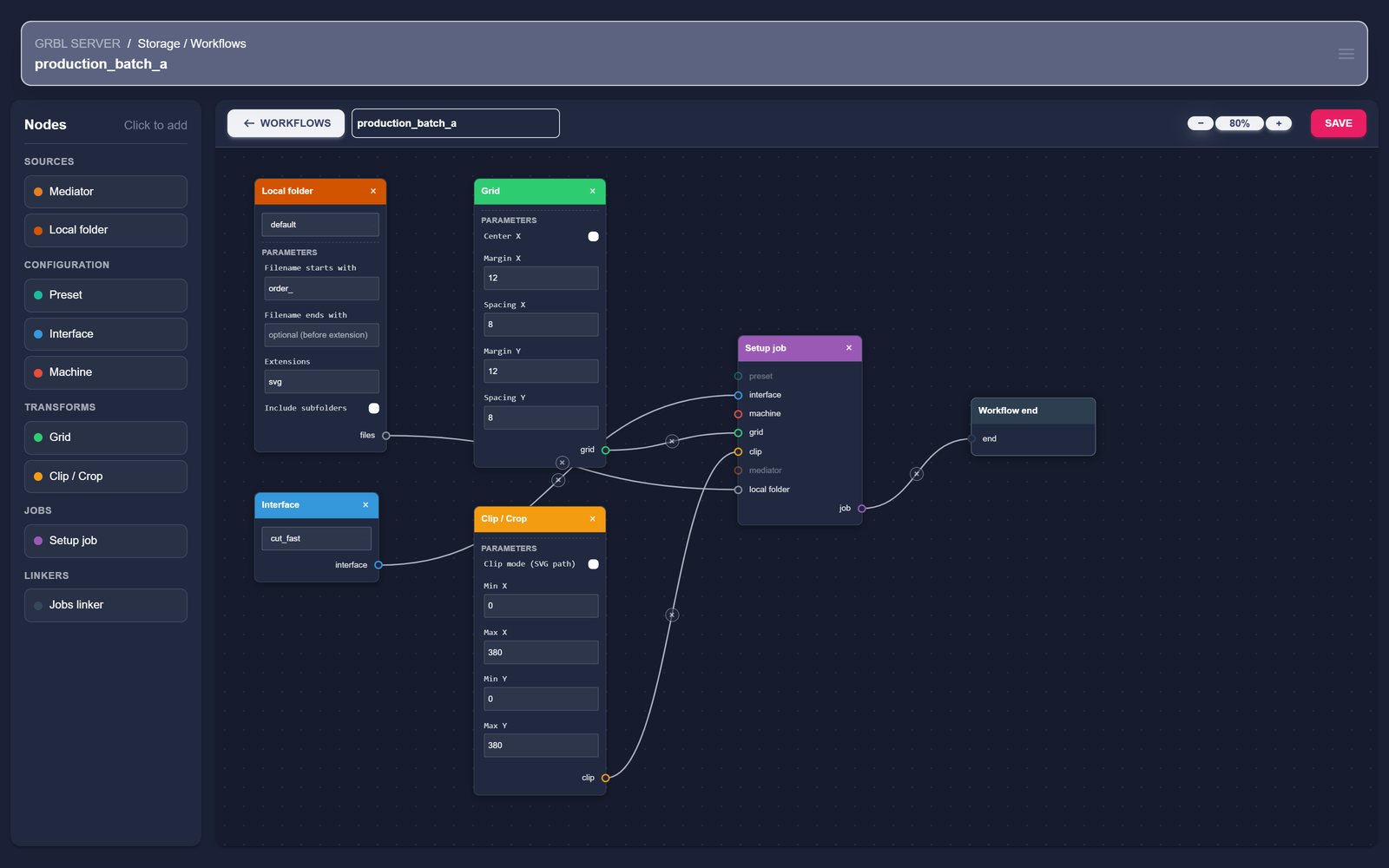
A workflow is a graph of nodes: where files come from, how they're processed, how they're arranged into a grid, what clipping applies, which interface and laser engraver receives the job.
- 1 Define file sources (local folder, database mediator, S3).
- 2 Pick an interface (the engine parameters — power, speed, passes; handles vector and raster in one profile).
- 3 Arrange into a grid and apply clipping if needed.
- 4 Target a machine endpoint — laser engraver or CNC, over serial, Wi-Fi or TCP — and run.
One server, every machine on the network.
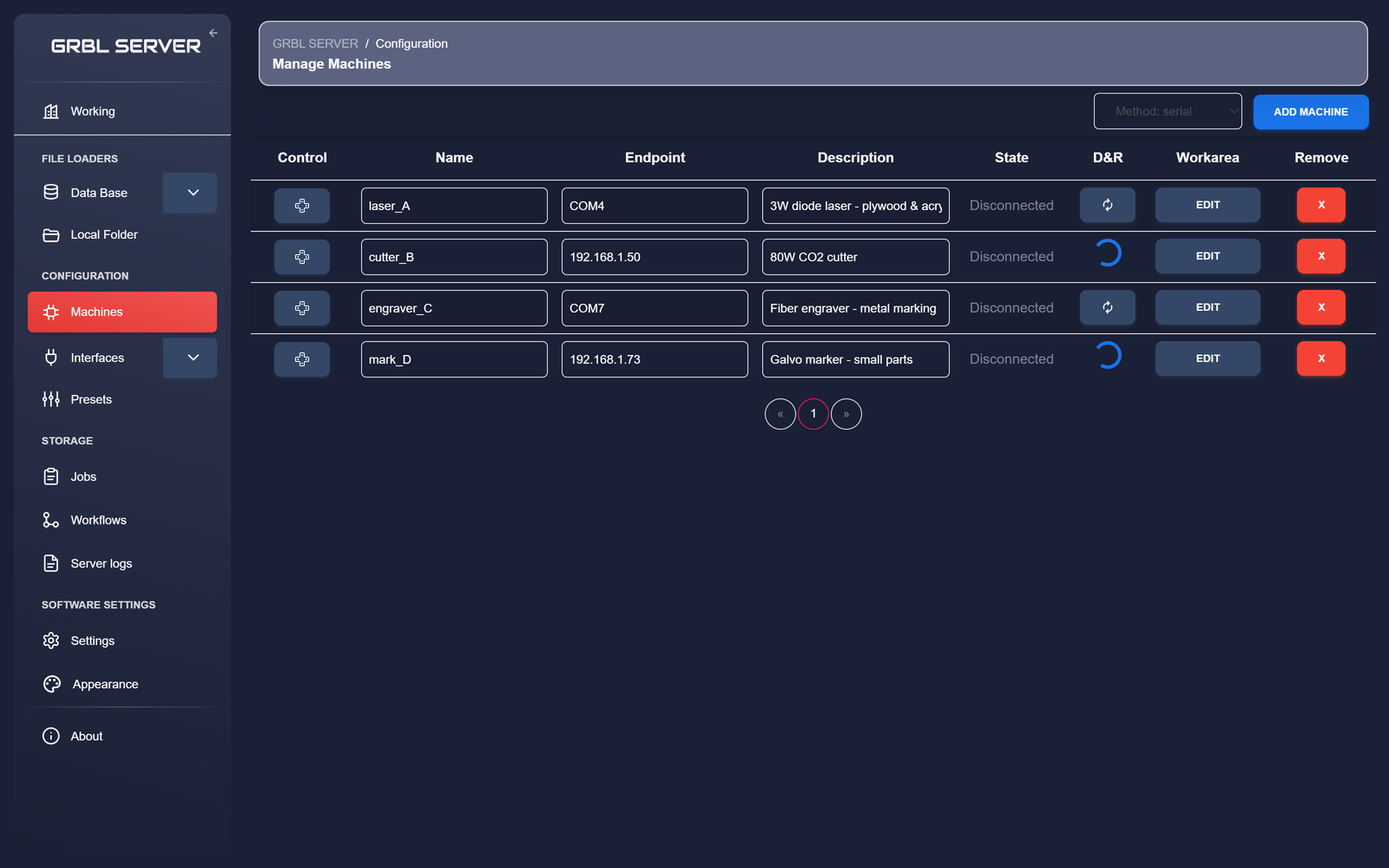
Connect GRBL, GRBL-ESP32/FluidNC, Marlin, Smoothieware and Klipper controllers over USB serial, Wi-Fi or TCP. Each machine appears as a named endpoint with its own working area and idle/active state.
- · USB serial for GRBL, Marlin and Smoothieware boards.
- · Wi-Fi WebSocket for GRBL32 / ESP32 / FluidNC controllers.
- · TCP for Smoothieware, Klipper (Moonraker) and Marlin over the network.
- · Per-machine working area, description and identifier.
- · Connect / disconnect from any device on the network.
From a folder of SVGs to a full sheet of jobs.
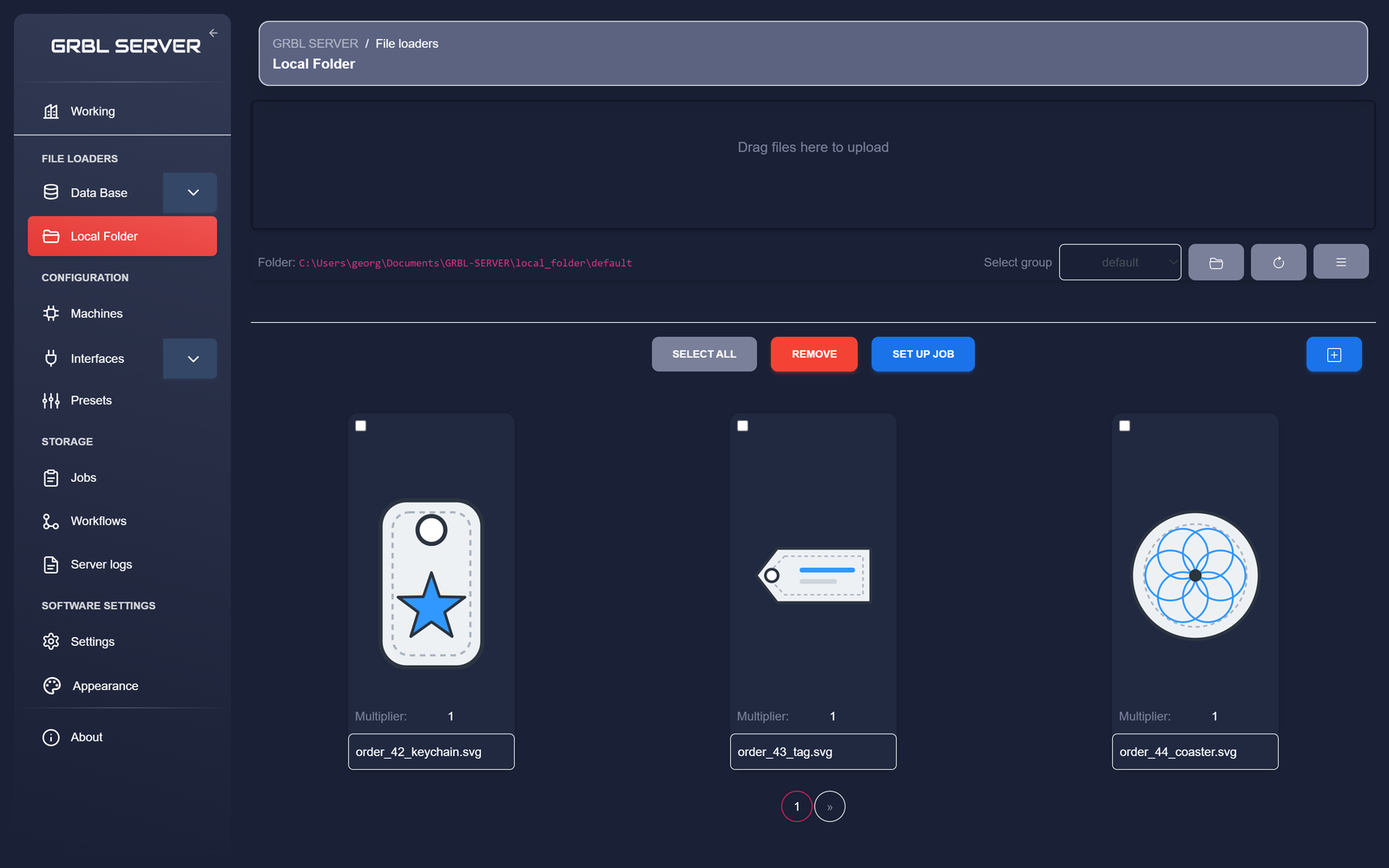
Load files from a local folder, an external database, or an S3 bucket. Multiply them by the number of cells you need, arrange them in a grid across the working area, and clip the result to the material you've actually got on the bed.
- · Filter files by prefix, suffix, extension, recursion.
- · Multiplier per file for batch quantities.
- · Grid tiling with configurable rows, columns, gap.
- · SVG-path clipping using
dattributes. - · Rectangular cropping for sheets and offcuts.
Save the dial-in once. Reuse it for every order.
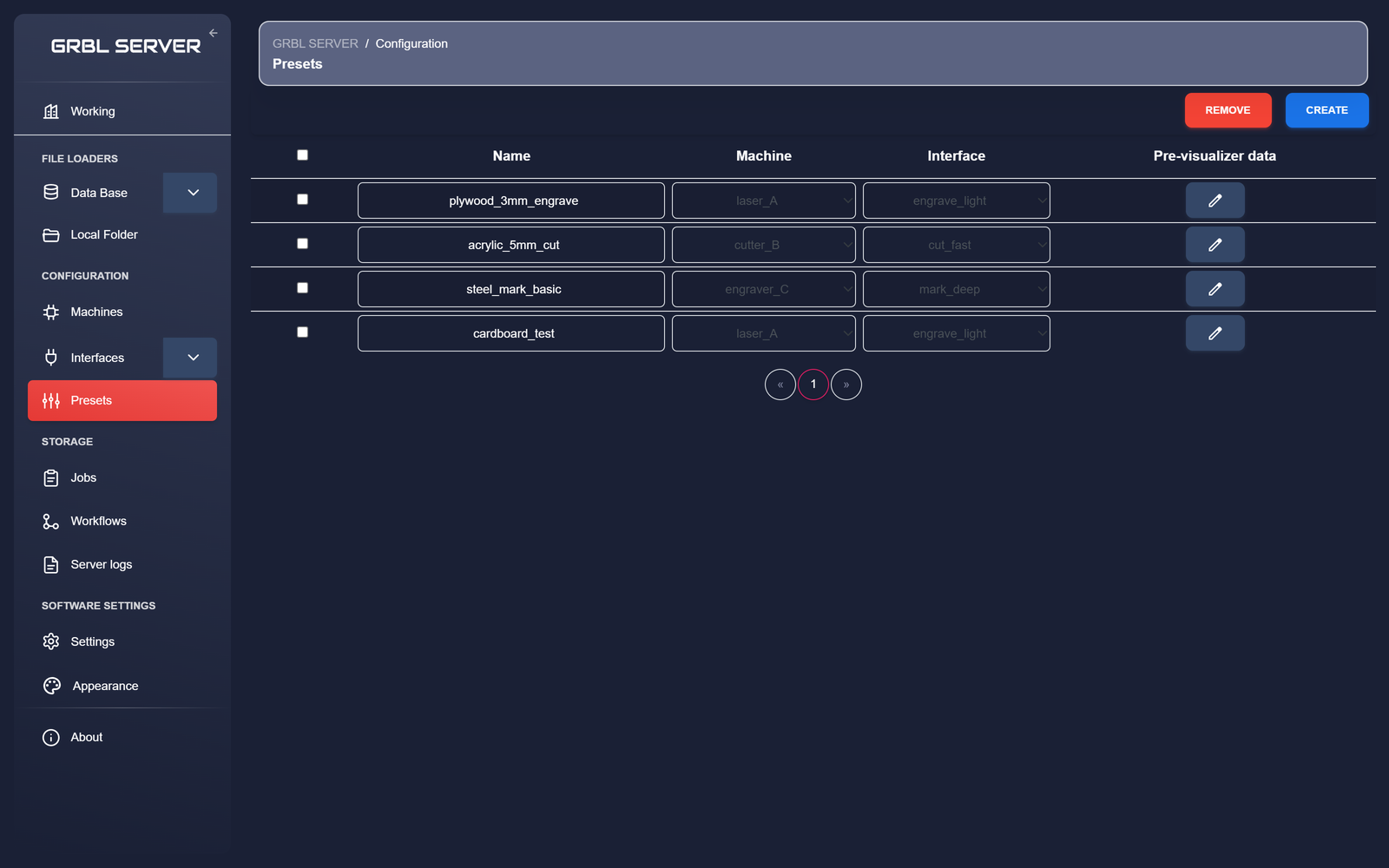
A preset bundles together a machine, an interface (power, speed, passes), clipping, and the pre-visualizer layout. Once you've found settings that work for a material, save them as a preset and apply them in one click on future jobs.
- · Per-material presets:
plywood_3mm_engrave,acrylic_5mm_cut, ... - · Interfaces store the engine parameters — one profile covers vector, raster, and SVGs that combine both.
- · Sequences wrap each job with start / end G-code.
- · Macros for reusable controller commands.
GRBL Server is free during beta.
Early adopters will keep a permanently discounted price when paid plans are introduced.
Built by one developer.
Hi, I'm George Domingo Herrezuelo. I built GRBL Server to simplify modular GRBL laser engraving workflows, especially for multi-engraver and reusable batch setups. The project is developed independently and shaped by beta feedback.